
If you’ve misplaced your vehicle’s Registration Certificate (RC) or simply want a digital copy that is legally accepted, DigiLocker makes the process quick and secure. Vehicle owners in Andhra Pradesh can download their RC in just a few minutes using the DigiLocker website or mobile app.
In this step-by-step guide, you’ll learn exactly how to download your Andhra Pradesh vehicle Registration Certificate (RC) from DigiLocker.
What is DigiLocker?
DigiLocker is a secure digital document wallet provided by the Government of India. It allows citizens to access official documents issued by various government departments, including the Ministry of Road Transport and Highways (MoRTH). Digital RCs available in DigiLocker are electronically issued from the VAHAN database and are accepted by traffic authorities across India.
Requirements Before You Start
Before downloading your RC, make sure you have:
- Aadhaar-linked DigiLocker account
- Registered mobile number
- Vehicle Registration Number
- Last 5 digits (or required portion) of the Chassis Number
- Internet connection
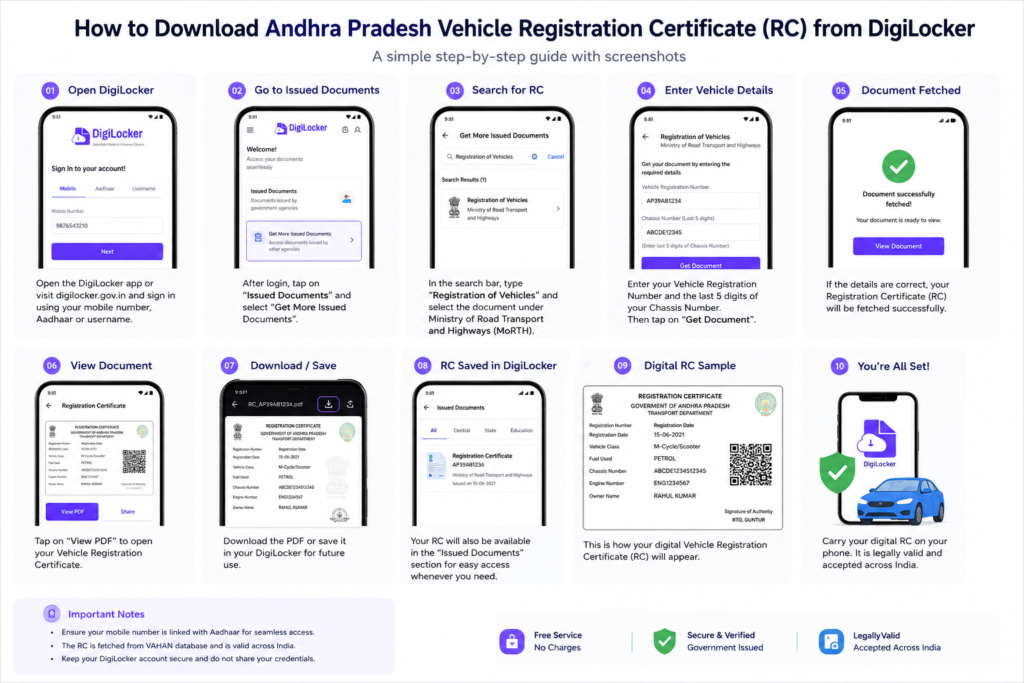
Step 1: Open DigiLocker
Visit the DigiLocker website or open the DigiLocker mobile app.
- Sign in using your:
- Mobile Number
- Aadhaar
- Username
Verify using the OTP if prompted
Step 2: Go to Issued Documents
After logging in:
- Tap Issued Documents
- Select Get More Issued Documents (or Search Documents)
This section allows you to fetch official documents directly from government databases
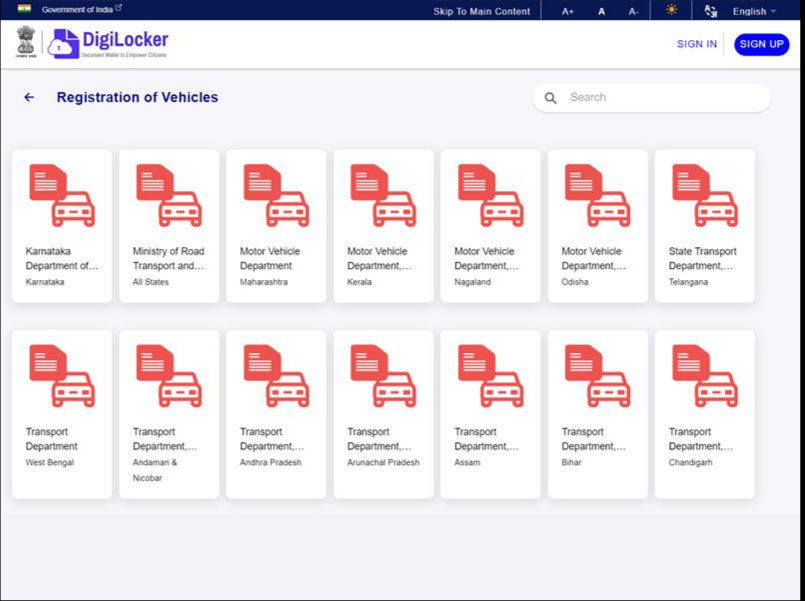
Step 3: Search for Registration Certificate
In the search bar:
- Search Registration of Vehicles
- Choose the issuer under Ministry of Road Transport and Highways (MoRTH).
For Andhra Pradesh vehicles, DigiLocker retrieves the RC from the national VAHAN database.
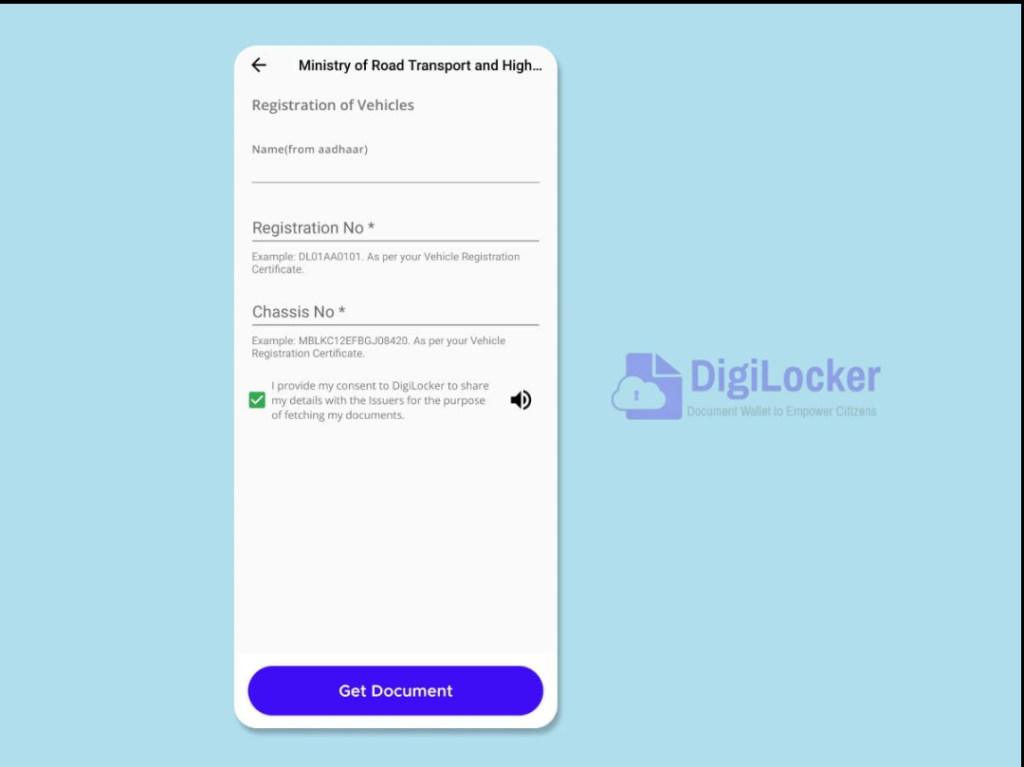
Step 4: Enter Vehicle Details
Fill in:
- Vehicle Registration Number
- Chassis Number (required digits as requested)
Carefully verify the information before proceeding.
Click Get Document.
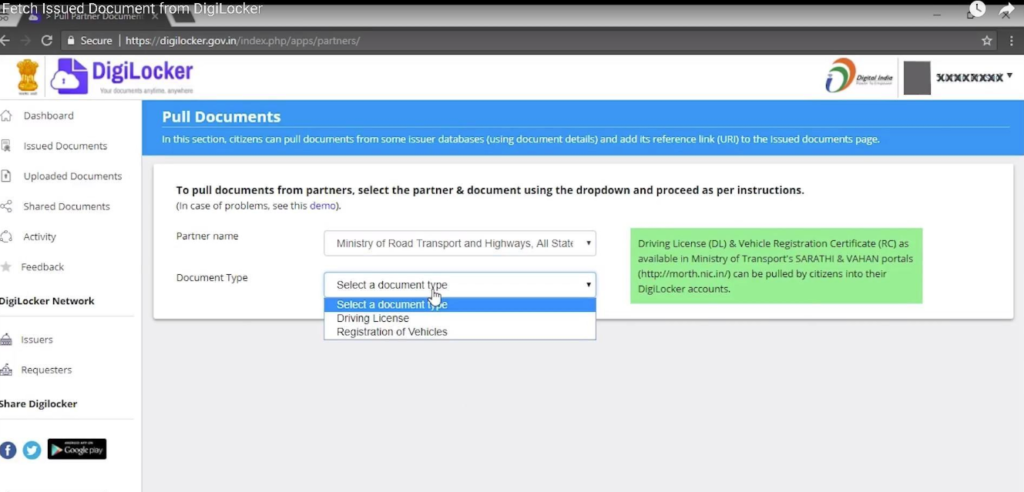
Step 5: Download Your RC
If the details match:
- Your Registration Certificate will be fetched automatically.
- Open the document.
- Tap View PDF.
- Download or save it for offline use.
The document will also remain available under Issued Documents for future access.
Is DigiLocker RC Valid?
Yes.
The digital Registration Certificate issued through DigiLocker is considered an authentic electronic document issued directly from government records and is accepted by traffic police and other authorities across India.
Common Problems & Solutions
| Problem | Solution |
|---|---|
| RC not found | Verify the registration number and chassis number. |
| Incorrect details | Ensure you’re entering the same details recorded with the RTO. |
| OTP not received | Check your registered mobile network or try again later. |
| Vehicle recently registered | Wait until the RC data is synchronized with the VAHAN system. |
| Login issues | Reset your DigiLocker password or sign in using Aadhaar/mobile OTP. |
Frequently Asked Questions
Can I download the RC for any Andhra Pradesh vehicle?
Yes, provided the vehicle is registered in your name and the required details match the official records.
Is there any fee?
No. Downloading your RC through DigiLocker is free.
Can I print the RC?
Yes. You can download the PDF and print it if needed.
Can I use the RC without carrying the original?
The digitally issued RC available in DigiLocker is generally accepted as a valid electronic document by enforcement authorities