
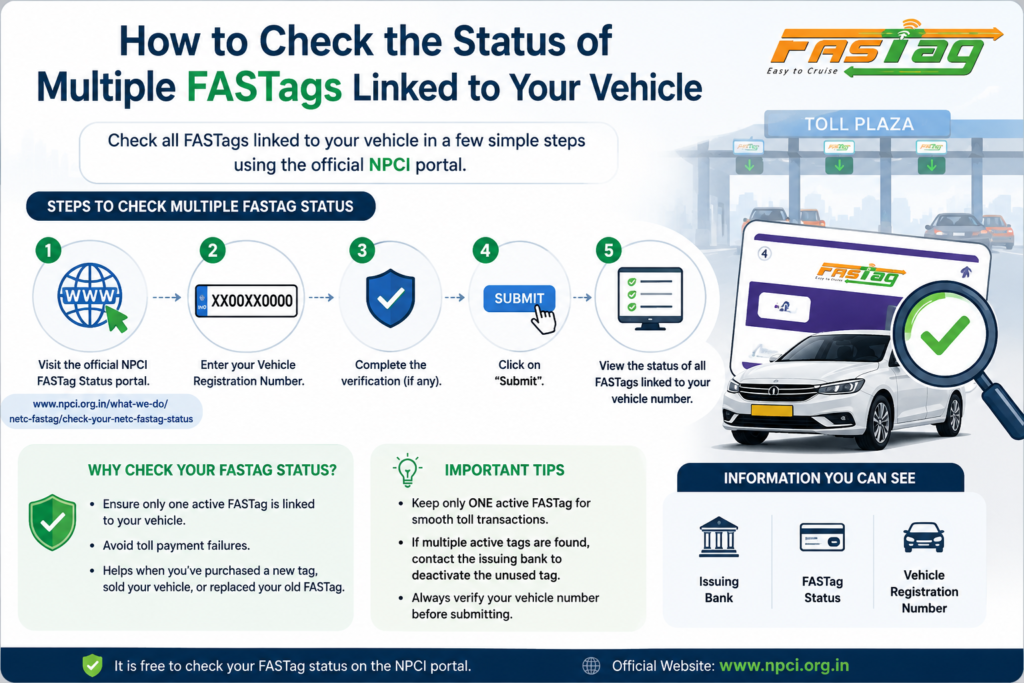
To check the status of multiple FASTags linked to your vehicle, you can follow below steps:
Visit the official link: https://www.npci.org.in/what-we-do/netc-fastag/check-your-netc-fastag-status Enter your vehicle details.
Click “Submit.” View the status of all the FASTags linked to your vehicle number.
How to check your FASTag balance?
Users who have registered their mobile number with NHAI Prepaid Wallet can know the balance by giving a missed call at +91-8884333331. The number is toll free and the facility is available round the clock.
What will happen if I have not upgraded my KYC post 2 years of completion as a Non-KYC wallet customer?
- You will be restricted from recharging the wallet you have not upgraded your KYC post 2 years of completion as a Non-KYC wallet customer. But you will be able to use the existing balance for toll transactions till your tags are marked “Low Balance” and blocked from using further.
How do I update my KYC?
- If you need to update your KYC details to upgrade from Non – KYC customer to Full – KYC customer, please follow these steps:
- You can login via the dedicated customer web portal in the provided link https://fastag.ihmcl.com and use your registered mobile number and password or OTP based validation to login into the IHMCL customer portal.
- https://fastag.ihmcl.com
- Once you login to the IHMCL customer portal, you can view the Dashboard Menu and in the left side Menu of the Dashboard, select the “My Profile” option, post which the “My Profile” page will be displayed. In that “My Profile” page, you can see the status of your KYC and all the profile details that you have submitted during the Registration process.
- In the same page, you need to click the ‘KYC’ sub-section next to ‘Profile’ sub-section. Then, in the ‘KYC’ sub-section, you need to select the “Customer Type” and then fill the mandatory fields by submitting the required ID Proof and Address Proof documents along with your passport size Photo and Address (as per Address Proof).
- Before submission of these details, you must mandatorily tick the“Declaration:I/We confirm the attached documents are authentic documents. I/We have the originals with us” for proceeding further with the KYC verification process.
How much time will it take for my KYC request to get processed?
- Your KYC will be processed in maximum 7 working days from the date of submission of your request for KYC upgrade. Post submission of KYC request, you can check the status of your KYC in the “My Profile” page of the Customer portal itself.
- If all your submitted documents are valid and matches with the information as provided by you during the KYC updation and Customer Registration, then your KYC verification will be accepted and your KYC status will get changed.
- If there is any mismatch in the information provided or if submitted documents are not proper/valid, then your KYC will get rejected and the same will be alerted to you for updating again in the same manner.
How to activate or link your NHAI FASTag with Bank account or NHAI wallet?
The activation process is simple as all one need to do is download My FASTag App (available on both Android & iOS platforms) and enter the vehicle details into the My FASTag App and follow the steps as mentioned in the App. Step by step process of activation/linking of NHAI FASTag is also available in form of an instructional video in the App.